Disaster Island Survival Controls for Every Platform
Master movement, camera, and survival inputs on PC, phone, and Xbox.
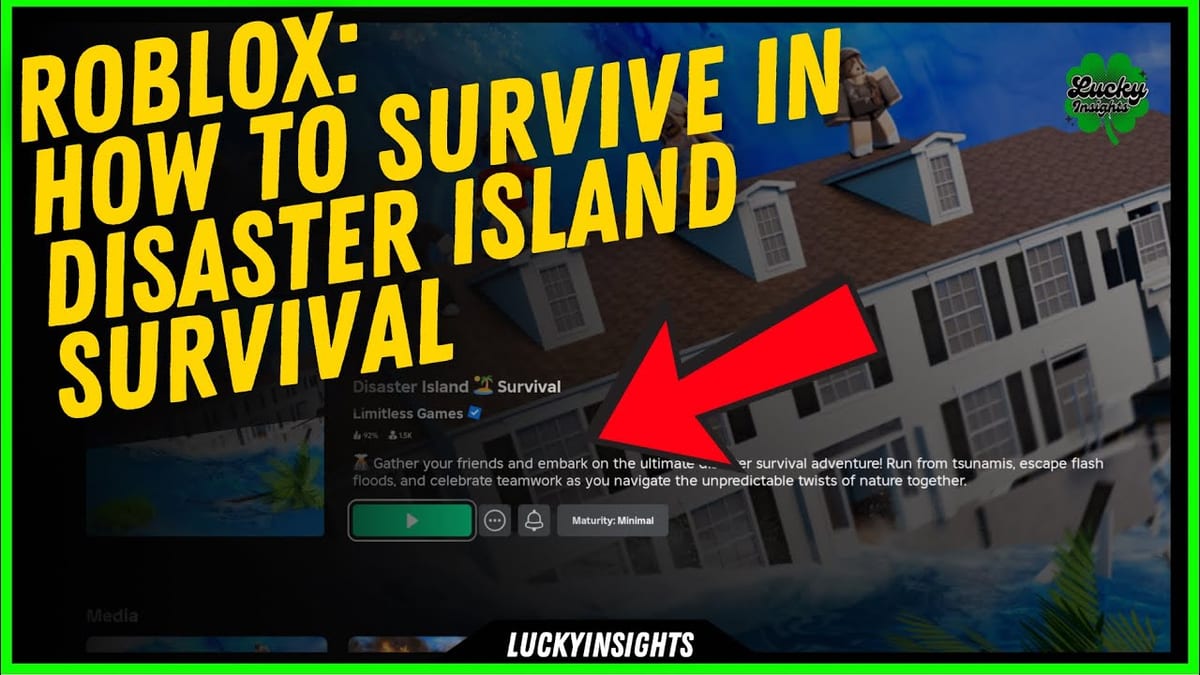
Disaster Island Survival is a free Roblox experience from Limitless Games where random disasters hit island maps and only survivors advance. Clean inputs matter as much as map knowledge. This Controls Hub explains how to play on PC, mobile, and Xbox, then ties those inputs to the habits that win rounds. Bookmark Getting Started if you still need the full beginner loop, and use Codes after you can move confidently.
What this page covers
You will learn platform defaults, shared Roblox camera rules, and how to practice under pressure. The embedded Xbox tutorial below is useful even if you mainly play on keyboard or touch, because the survival decisions are the same: read the sky, pick high ground early, and keep your camera ready for sudden floods, tornadoes, or lava. Pair this page with the survival checklist before ranked-feeling public servers.
Shared Roblox basics
Roblox syncs your account across devices. Progress, cosmetics, and redeemed rewards travel with the account, not the controller. That means you can practice camera angles on PC and still redeem the same working codes on Xbox later. Always keep your character facing the threat you care about most. In Disaster Island Survival, the fatal mistake is usually not a missing hotkey. It is looking the wrong way while a tsunami crest or tornado funnel forms.
PC keyboard and mouse
On PC, use WASD to move and the mouse to aim the camera. Space jumps. Shift usually sprints when the experience enables it. Hold right mouse or use Roblox camera modes if you prefer locked third-person. Practice short hops onto ledges instead of long sprint lines into open water or lava paths. Vehicles appear on many maps; enter with the on-screen prompt (often E) and exit the same way when the disaster flips the route. Items and potions from codes or gameplay sit in your hotbar. Number keys select them quickly so you are not scrolling while the map collapses.
PC players should bind habits, not just keys. Before a round starts, pan the camera across rooftops, towers, and cliffs. Decide your first climb. When the disaster name appears, commit. Mid-round indecision kills more avatars than imperfect jump timing. If you use a controller on PC, follow the Xbox section below for stick and bumper logic.
Mobile touch controls
Mobile uses a virtual joystick and on-screen jump. Camera drag is your survival tool. Pinch or use the default Roblox camera buttons if your layout includes them. Keep thumbs low so you can jump and steer without covering the horizon. On phones, high FOV feel can hide distant funnels; tilt the camera up more often than you think you need. Tap vehicle or item prompts carefully; fat-finger exits mid-flood are common.
Play portrait only if you must. Landscape gives better sky reading for tornado and meteor tells. Lower graphics slightly if frame drops make jumps feel late. Touch lag is real on crowded servers, so leave earlier for bridges and ladders. For map layouts and safe rooftops, cross-check maps once those guides are on your reading list.
Xbox and controller play
Xbox and gamepads use the left stick for movement and the right stick for camera. A jumps. Use the face buttons and D-pad according to the on-screen Roblox prompts for interact, backpack, and menu. Triggers and bumpers often handle tools or camera zoom depending on your Roblox settings. The video on this page walks through an Xbox-focused how-to-play session for Disaster Island Survival; watch it once with the controller in hand, then replay muted while you practice in a quiet server.
Controller tips that transfer from the tutorial: keep a soft right-stick nudge so you never tunnel-vision on your feet; jump before the stick fully commits into a corner; exit vehicles early when a flood animation starts, because swimming or climbing from a stalled car wastes seconds. If chat is hard on console, rely on emotes or simply lead by movement so teammates see the safe line.
Survival inputs under each disaster type
Tsunami and flash flood demand early elevation and calm camera work. Do not spam jump at the waterline. Climb, then look for secondary rooftops if the first roof floods. Tornado and hurricane punish standing still; strafe with short camera checks so you see debris paths. Fire and lava reward edge hugging and vehicle bailouts. Earthquake and collapsing structures need patience: wait for the first shake, then move to thicker geometry. Multi-disaster rounds stack these rules. Reset your plan every time a second name appears.
Practice routine that sticks
- Join a public server and ignore win streaks for ten rounds.
- Spend the lobby timer only on camera scouting.
- Call your first safe spot out loud even if you solo queue.
- After each death, note whether input lag, bad camera, or late decision caused it.
- Redeem any pending rewards from Codes, then return to drills.
When seasonal modes arrive, revisit Events so your muscle memory matches new props and egg-hunt clutter. For a blunt quality take on the game loop itself, read the review. Official social channels for patch notes live on the official links page.
Common control mistakes
Players often sprint in a straight line with the camera locked behind the avatar, which hides funnels and meteors. Others open the Roblox menu mid-round and lose the climb window. Mobile players sometimes keep auto-jump on and bounce off rails into voids. Xbox players sometimes over-aim with the right stick and miss narrow ledges. Fix one mistake per session. Controls mastery in Disaster Island Survival is less about exotic binds and more about calm, repeatable inputs while the island tries to delete you.
Use this hub as your platform baseline, then deepen map routes through Guides and round prep through the survival checklist. Strong inputs turn average map knowledge into consistent survivors.
Frequently Asked Questions
Quick answers for Disaster Island Survival players.
Does Disaster Island Survival support Xbox?
Yes. You can play with an Xbox controller through Roblox. Use left stick to move, right stick for camera, and A to jump, then follow on-screen prompts for vehicles and items.
Are PC and mobile controls different from Xbox?
The buttons differ, but the survival loop is the same. PC uses WASD and mouse, mobile uses a virtual joystick and touch camera, and Xbox uses sticks and face buttons.
Why watch an Xbox tutorial if I play on PC?
The tutorial still teaches positioning, camera habits, and round timing. Those decisions transfer across platforms even when the exact buttons change.
Do my controls settings sync between devices?
Your Roblox account progress syncs, but device layouts can differ. Recheck camera sensitivity and shift-lock or touch layout whenever you switch platforms.
What should I practice first as a new player?
Practice camera scouting during the lobby timer, clean jumps onto rooftops, and early vehicle exits. Then read Getting Started and the survival checklist for round habits.